Reference
Global Options Reference
Global Options holds the settings that apply to all events. It opens as a page of cards, each leading to one area: Big Lists, Matching & Duplication, Email Templates, Event Feeds, Event PM Calendar Feed, Event Templates, FAQ Library, Form Questions, Translations and Webinar Accounts.
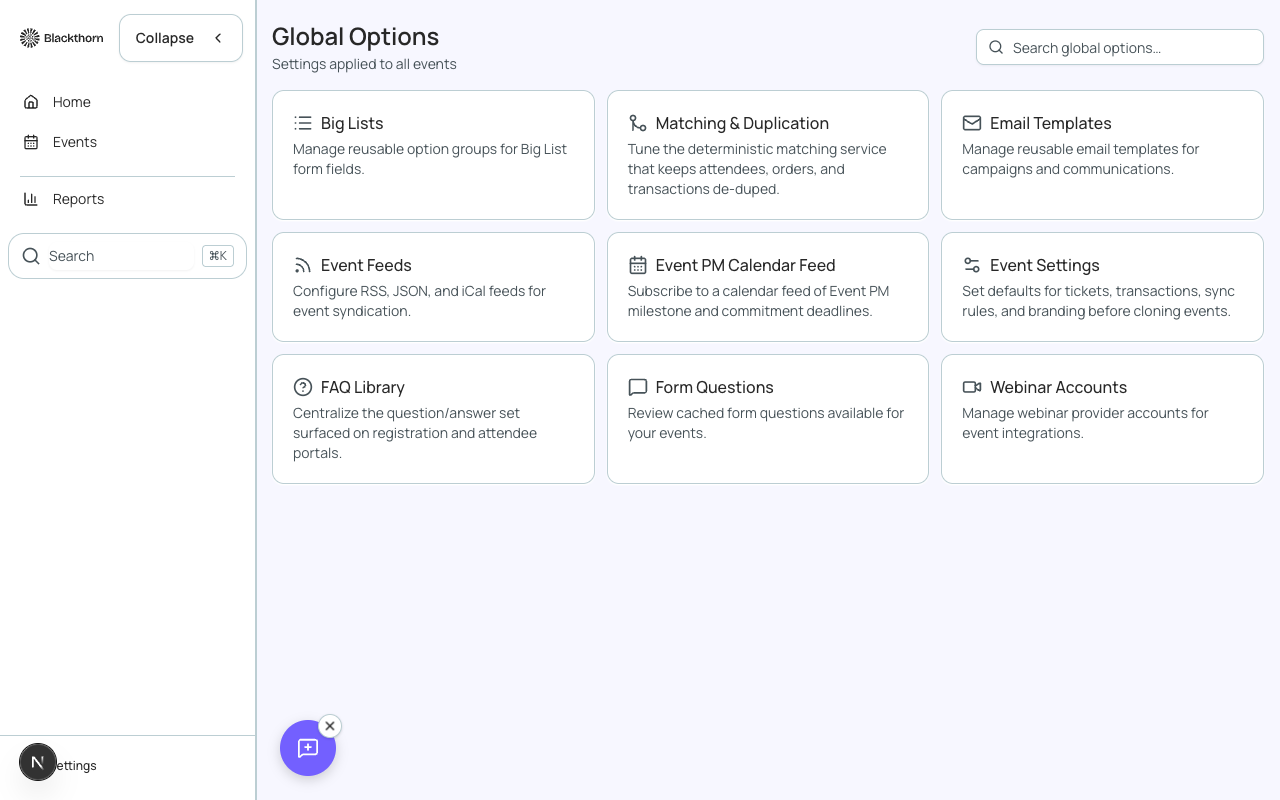
- Big Lists: reusable option groups for Big List form fields.
- Matching & Duplication: the matching service that keeps attendees, orders and transactions de-duplicated.
- Email Templates: reusable email templates for campaigns and communications.
- Event Feeds: RSS, JSON and iCal feeds for event syndication.
- Event PM Calendar Feed: a calendar feed of Event PM milestone and commitment deadlines you can subscribe to.
- Event Templates: defaults for tickets, transactions, sync rules and branding that are used before cloning events.
- Webinar Accounts: webinar provider accounts for event integrations.
Big Lists
Big List Groups are the reusable option groups behind Big List form fields. Choose Add Group, enter a Group Name (for example US States) and an optional Description, then Save Group. Each group shows how many options it has. Open a group to add options by pasting them, one per line with a tab or comma between name and value, or choose Import CSV. Duplicate options are skipped and the page tells you which. A form field can use an existing group or inline options.
FAQ Library
FAQ Library manages FAQ categories that feed the Event overview tabs. Enter a name and choose Add to create a category. Expand a category to see the forms mapped to it and their cached questions. Each category shows its number of forms and questions.
- Refresh caches re-reads data from Salesforce in the background; Reload at the top fetches the latest data from the local database. Refresh caches must finish before Reload shows updated FAQs.
- Salesforce FAQ Questions lets you create a traditional FAQ Question record with a Question, Answer and Category, used by the Events FAQ related lists.
- If your profile cannot create the record, the page says to ask your Salesforce admin to check field-level security.
Form Questions
Form Questions lists the cached form questions across your events with columns for Question, Form, Type and Last Synced. Search by question or form, filter by Type, and choose Clear filters to reset. Click a row to open the question editor. A question that is not linked to a form cannot be edited here.
New Question takes a Label, a Type and whether it is Required, plus the object and field it maps to. Delete asks you to confirm; make sure the question is not part of a form that is live or about to go live. Questions only appear after the forms cache has synced, so refresh the cache if the list looks out of date.
Translations
The Translations page is titled Translations & Data Dictionary. It has two parts: translation records and the Data Dictionary.
- Custom Translation Glossary: translation records that map key and value pairs to specific languages, such as ticket names. Search by name and filter by language; columns show Name, Language, Form Element and Last Modified. Use New Translation to add one.
- Salesforce Translation Records are created by event cloning and the forms translation import.
- Data Dictionary: entries that rename labels shown on registration pages and portals.
A translation marked Legacy is not synced to Salesforce. Migrate to Salesforce moves it, and Migrate all moves every legacy row.